
Hi guys hope you all are having a great weekend. I just wanted to share about the deprecated analytics rule that is in Microsoft Sentinel. You should be able to find deprecated rules from your active rules in Analytics.
How should you remove them? When will it impact? What can I do? Who will it get impacted? Where can I find the dependency?

Steps to Remove
- If you only have just a few of them > To remove them from active rules > is by checking its checkbox > Select Delete on the top taskbar.
- If you have alot of them > To remove them from active rules > is by checking the bulk checkbox > Select Delete on the top taskbar
Steps to Find Dependency
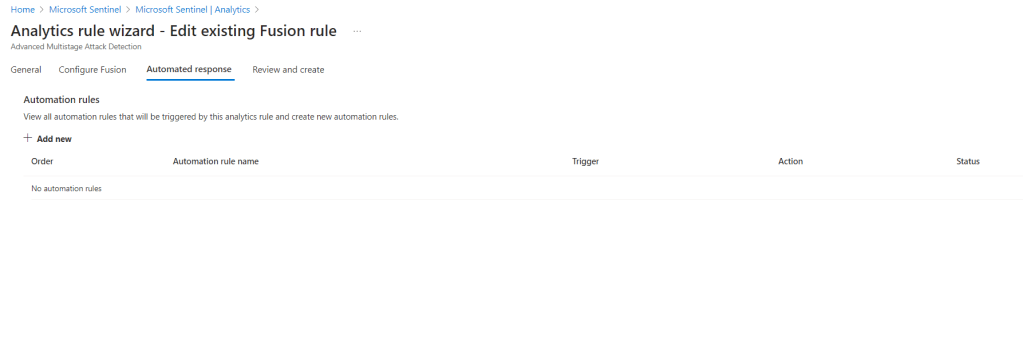
You can check its dependency by editing the rule and check for any automated response rules. This will definitely help you to find the dependency and make adjustment to your automated response rules.
If your analytics rules are more than your automated response rules, you can search the dependency based on automated response.
If you have playbook running on the automated responses rule that has dependency with the analytics rule too, should also identify the dependency within the playbook design.

If you would like to know more about detecting threats using the templates that are already given by Microsoft Sentinel, feel free to review the references below. With templates given really ease your effort of creating custom rules and troubleshooting it.
Have the deprecated rules in the workspace still running, you won’t be able to receive alerts and your automation rules will not perform as it should be too.
References:

 Sabrina Kay's Blog